A free UI design prompt from our design library. Copy it here and adapt it to your own brief.
Role
AI-assisted UI exploration
Context
Free prompt · AI-assisted UI exploration
Status
Free
AI-assisted UI exploration from the original design library; not a shipped product.
01 / Project notes
About this exploration
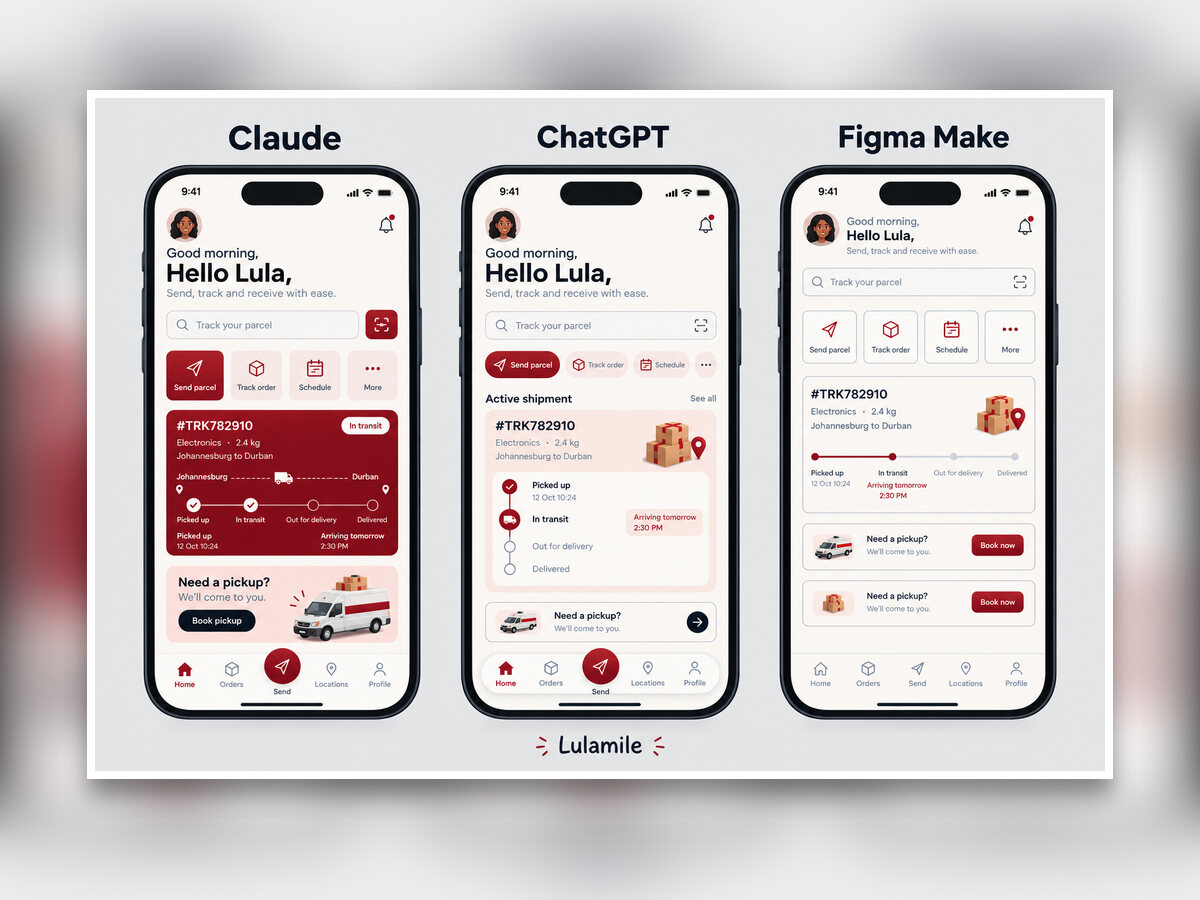
An AI-assisted design concept from our original design library—not a shipped client product. The cover shows the original exploration. Generated results vary by tool; review content, imagery and accessibility before using a result.
Free design resource
Make it your starting point.
Use the original prompt below, then adapt it to your own brief.
Design 3 delivery app home screens in black iPhone frames, side by side, same content, different layouts, no labels. Canvas: light grey #E5E5E7, generous space between phones, extra empty space at the top for labels. Style: light mode only, brand dark red #8E1B24, pale rose #F7EEEE for soft cards, text black #111318 and grey #7C8089, fonts Manrope for UI and Bricolage Grotesque for headings and tracking numbers, generous gaps between sections. Label the three phones above the frames — left 'Claude', centre 'ChatGPT', right 'Figma Make' — in bold type. Images: random female portrait round crop for avatar, 3D stacked cardboard boxes with dark red tape and small red location pin, 3D white delivery van with dark red side stripe and box on roof. Content: header 'Good morning, Hello Lula, Send, track and receive with ease, portrait avatar, bell with a red dot'; search 'Track your parcel' with scan button; actions 'Send parcel, Track order, Schedule, More'; shipment '#TRK782910, Electronics 2.4 kg, Johannesburg to Durban, In transit, picked up 12 Oct 10:24, arriving tomorrow 2:30 PM'; steps 'Picked up, In transit, Out for delivery, Delivered'; promo 'Need a pickup? We'll come to you.'; nav 'Home, Orders, Send, Locations, Profile'. Screen 1: 4 rounded-square action tiles with labels, Send parcel in dark red; full dark red shipment card with white 'In transit' badge, Johannesburg to Durban route with dashed line and truck marker, 4-step tracker with ticks; pale rose promo card with 'Book pickup' button in black and large van image on the right; bottom bar with labels and raised round dark red Send button in the middle. Screen 2: pill chip actions, Send parcel in dark red; pale rose shipment card with tracking number large and parcel image on the right, white inner panel with vertical timeline and arrival-time tag; outlined promo row with van thumbnail and round black arrow button; floating white pill nav, Home highlighted, round dark red Send button. Screen 3 (deliberately weaker): cramped spacing, small text, thin grey borders everywhere; 4 outlined boxes with red icons; plain outlined shipment card, thin red progress bar, step labels underneath, arrival time in red; two near-identical outlined promo rows with small red buttons; flat bottom bar, no highlighted Send button.